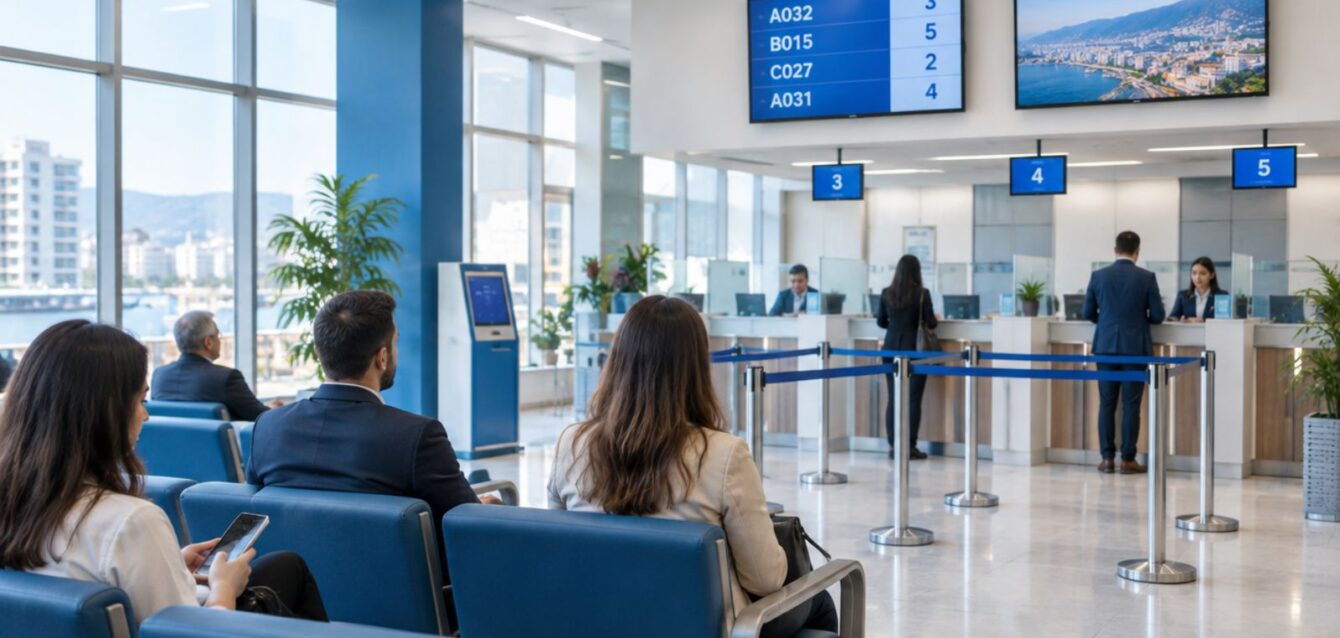
Few experiences shape how customers feel about a bank as much as waiting in a branch. In Lebanon, where many banking operations still require a visit and branches can be crowded on salary days and at month end, long and unpredictable waits are a daily source of frustration. A queue management system gives banks control over this experience. It organizes visitors fairly, shortens actual and perceived waiting time, and gives management the data to staff branches correctly. This guide explains how a queue management system works in a bank, which features matter most and how to roll one out across a branch network.
How a bank queue system works
- A customer arrives and takes a ticket from a touchscreen kiosk, selecting the service: cash deposit, withdrawal, account opening, loans, cards or customer service.
- Alternatively, the customer books a virtual ticket in advance through the bank’s app, a web link, a QR code at the entrance or WhatsApp.
- Digital signage shows the ticket being served and directs customers to the right counter, with audio announcements in Arabic and English.
- Tellers and officers call the next ticket from their desk, transfer a customer to another service when needed and record the outcome.
- Customers receive SMS or WhatsApp alerts when their turn is near, so they can wait in comfort rather than standing in line.
- Branch managers and head office see live dashboards and historical reports.
Features that matter for banks
Service-based routing
Different services take different times and require different staff. The system routes each ticket to counters qualified for that service and balances load so that no counter sits idle while another has a long line.
Priority queues
Elderly customers, pregnant women, people with disabilities and premium clients may receive priority. The system applies these rules consistently and transparently, avoiding arguments in the hall.
Appointments plus walk-ins
For time-consuming services such as account opening, loan consultations or document updates, appointments spread demand across the day. The system mixes booked appointments with walk-in tickets so both are served on time.
Virtual tickets and remote check-in
Letting customers join the queue before arriving reduces crowding in the branch. Customers see how many people are ahead of them and an estimated wait, and arrive just in time.
Customer identification
When a customer enters an account number or scans a card at the kiosk, the system can route them to a relationship manager, flag premium status or display their name to the teller, if the bank’s policies allow.
Feedback collection
A short rating after service, on a terminal at the counter or by message, gives managers real-time insight into customer satisfaction per branch and per teller.
Reports and service KPIs
The data a queue system collects is as valuable as the queue itself. Typical service KPIs include:
- Average and maximum waiting time per service and branch.
- Average service time per transaction type and per teller.
- Number of customers served per hour and per day.
- Percentage of customers served within the target wait.
- Tickets abandoned before being served.
- Peak hours and days, by branch.
With these numbers, managers can schedule staff for peak hours, open extra counters at the right moment, identify training needs and compare branches objectively.
Working through power and internet outages
In Lebanon, a queue system must keep working when the internet drops or power switches to a generator. The core should run on the branch’s local network with battery-backed hardware, storing data locally and syncing with head office when connectivity returns. Displays and kiosks should restart quickly after a power switch.
Integration with banking systems
Connecting the queue system to CRM or core banking lets the bank recognize customers, measure end-to-end service and link waiting data with transactions. It can also feed head office dashboards that combine branch performance, staffing and customer satisfaction.
Rolling out across a branch network
- Start with a pilot in two or three branches with different profiles: a busy central branch and a smaller regional one.
- Define services and targets consistently across branches so reports are comparable.
- Train tellers and greeters; the greeter role is crucial during the first weeks.
- Communicate with customers through signage, the app and social media about virtual tickets.
- Review data monthly and adjust staffing, services and priority rules.
- Scale to all branches with central management of settings and content.
Beyond banks
The same approach applies to insurance offices, telecom shops, hospitals and public offices. Software Senior built a solution with custom electronic boards to manage parking and queues for banks and insurers. For a broader view, read our article on queue management systems in Lebanon.
Return on investment
The benefits are both visible and measurable: calmer branches, fewer complaints, better use of staff and the ability to serve more customers without adding counters. Banks also gain the data to plan branch openings, closures and redesigns based on actual demand rather than assumptions.
Frequently asked questions
Can customers book a ticket from the bank’s app?
Yes. Most modern queue systems offer an API that banks integrate into their mobile app, as well as standalone web and WhatsApp options.
How long does a branch installation take?
Hardware installation and configuration for a single branch usually takes a few days, with the pilot period running several weeks.
Is the data secure?
Queue data should be encrypted and access-controlled, and any customer identification must follow the bank’s privacy and data protection policies.
Learn more about our IoT and electronic boards services.
Designing the branch experience
Technology works best when the physical layout supports it. Place the kiosk near the entrance where a greeter can help first-time users, and position displays so they are visible from every seat. Keep the number of services on the kiosk short and written in plain language, in Arabic and English, so customers choose correctly the first time. Separate quick transactions from long consultations so a five-minute deposit is never stuck behind a forty-minute loan discussion. Finally, show the expected waiting time on screen: research on queues consistently finds that uncertain waits feel longer than known ones, so even a modest wait becomes more acceptable when customers know how long it will be.
Work with Software Senior
Software Senior is a Beirut-based software development, AI and IoT company with more than 15 years of experience in healthcare, insurance, government, energy and enterprise projects. Request a free consultation, call +961 3 014416 or email [email protected]. Answers to common questions are in our FAQ.